
AI survey draft
Open the builder, describe your goal and audience, and receive a structured draft with sections and question types you can edit on the sheet.
- Editable output in the paper-style builder
- Daily fair-use limit per account
You are using the private beta of BoostByte Forms.
Registration open · 5 / 50
Features
BoostByte Forms combines a paper-style builder with team workspaces, quiz mode, AI assistance, and a full results hub — free to start, with fair-use limits to keep the platform stable.
AI assistance
Use AI where it saves time: drafting surveys from a brief, summarising open-ended feedback, and getting answers from the in-app help assistant. No paid tier required.
Open the builder, describe your goal and audience, and receive a structured draft with sections and question types you can edit on the sheet.
From the results hub, generate a narrative summary of text responses — useful once you have enough submissions to spot patterns.
Generate thank-you headlines, messages, QR poster captions, and embed tips from your survey title and audience.
Suggest three memorable short-link slugs in the publish panel — ready to save as /f/your-slug.
On flagged responses, get a plain-language summary of why profanity, gibberish, speeding, or straight-lining checks fired.
A floating chat on public and dashboard pages answers questions about BoostByte Forms using FAQs and platform guidance.
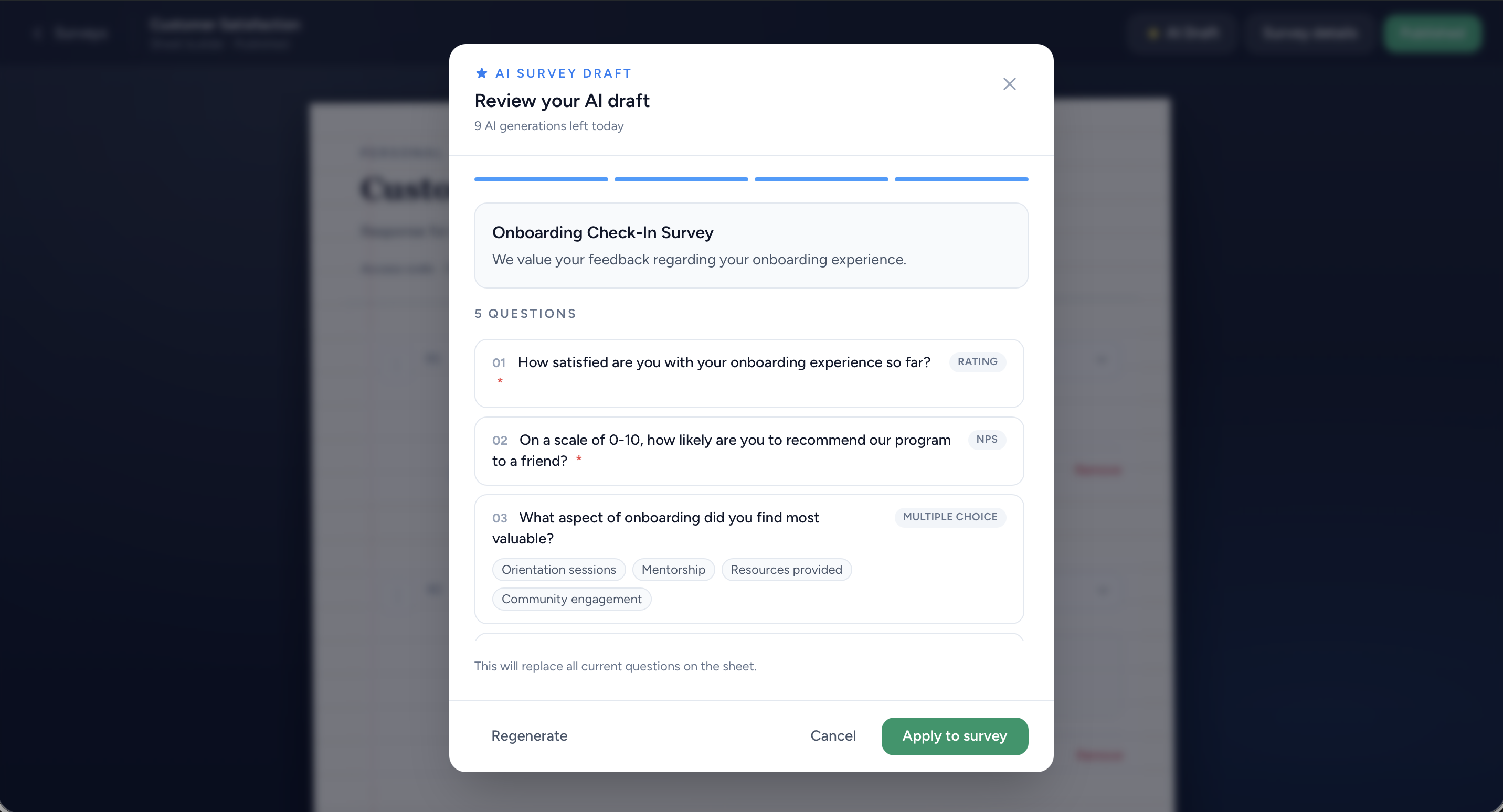
Describe what you need and get a ready-to-edit survey draft.
From first draft to exported report — without switching tools.
A spreadsheet-style editor that feels like paper — with modern structure underneath.
Share a calm public experience — respondents never need an account.
Look professional on every channel — from your website to a printed QR code.
Review flagged submissions before they skew your analysis.
Turn responses into decisions with charts, summaries, and downloads.
Workspaces, roles, and invitations — built for more than one person behind the keyboard.
Screenshots from the live platform.
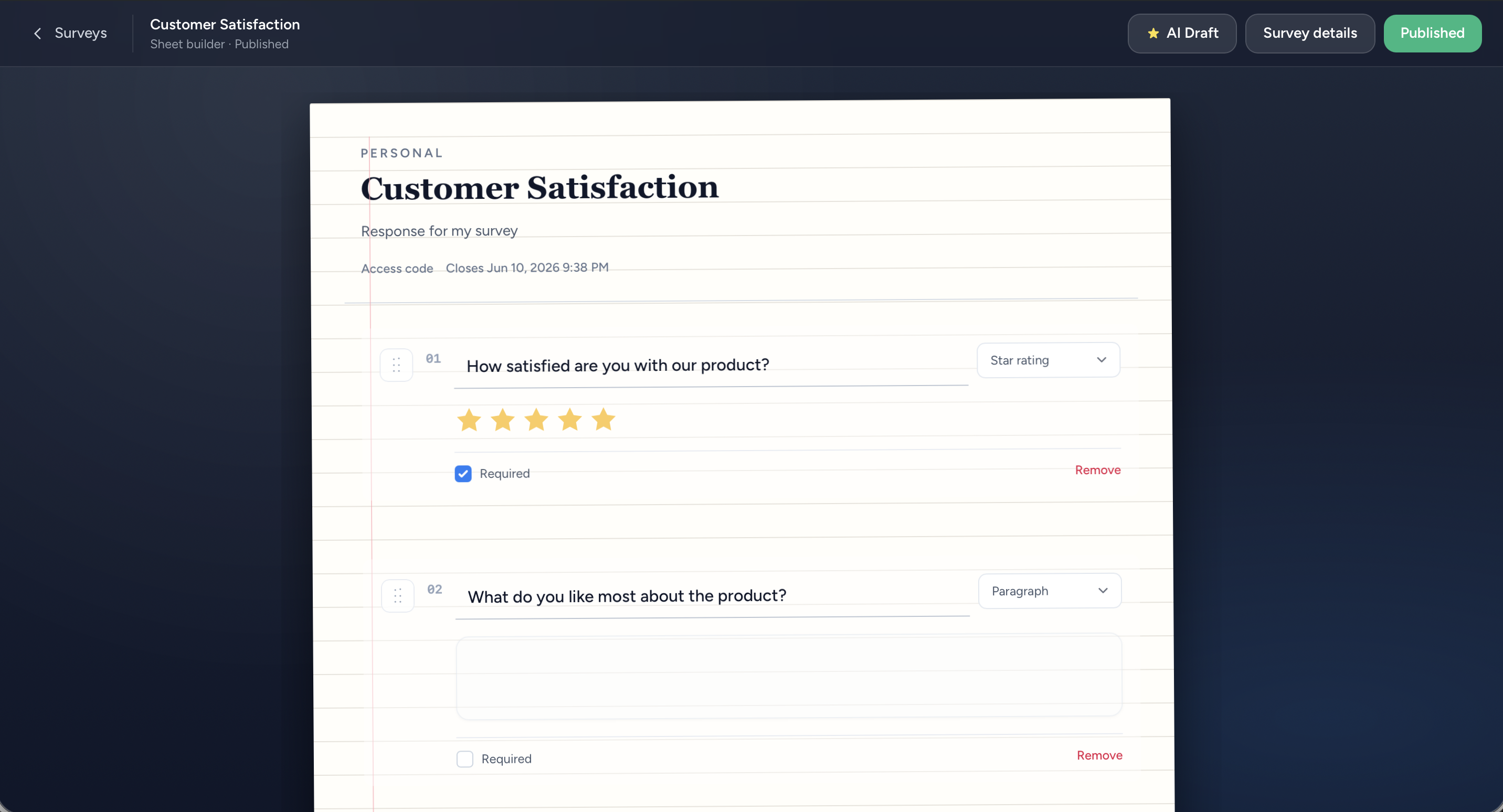
Add, reorder, and configure questions in a familiar spreadsheet-style editor.
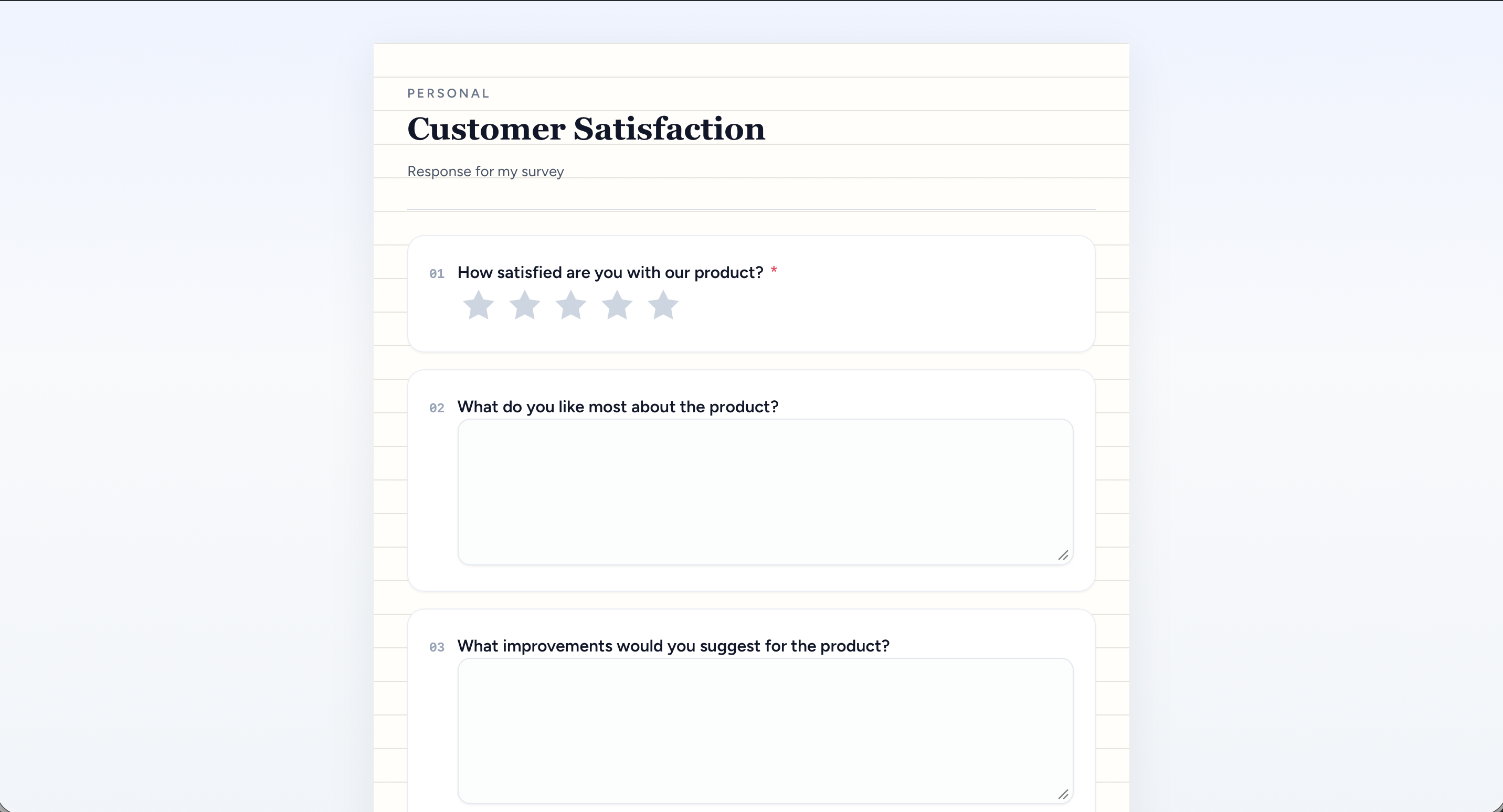
Share branded links — respondents complete forms without signing in.
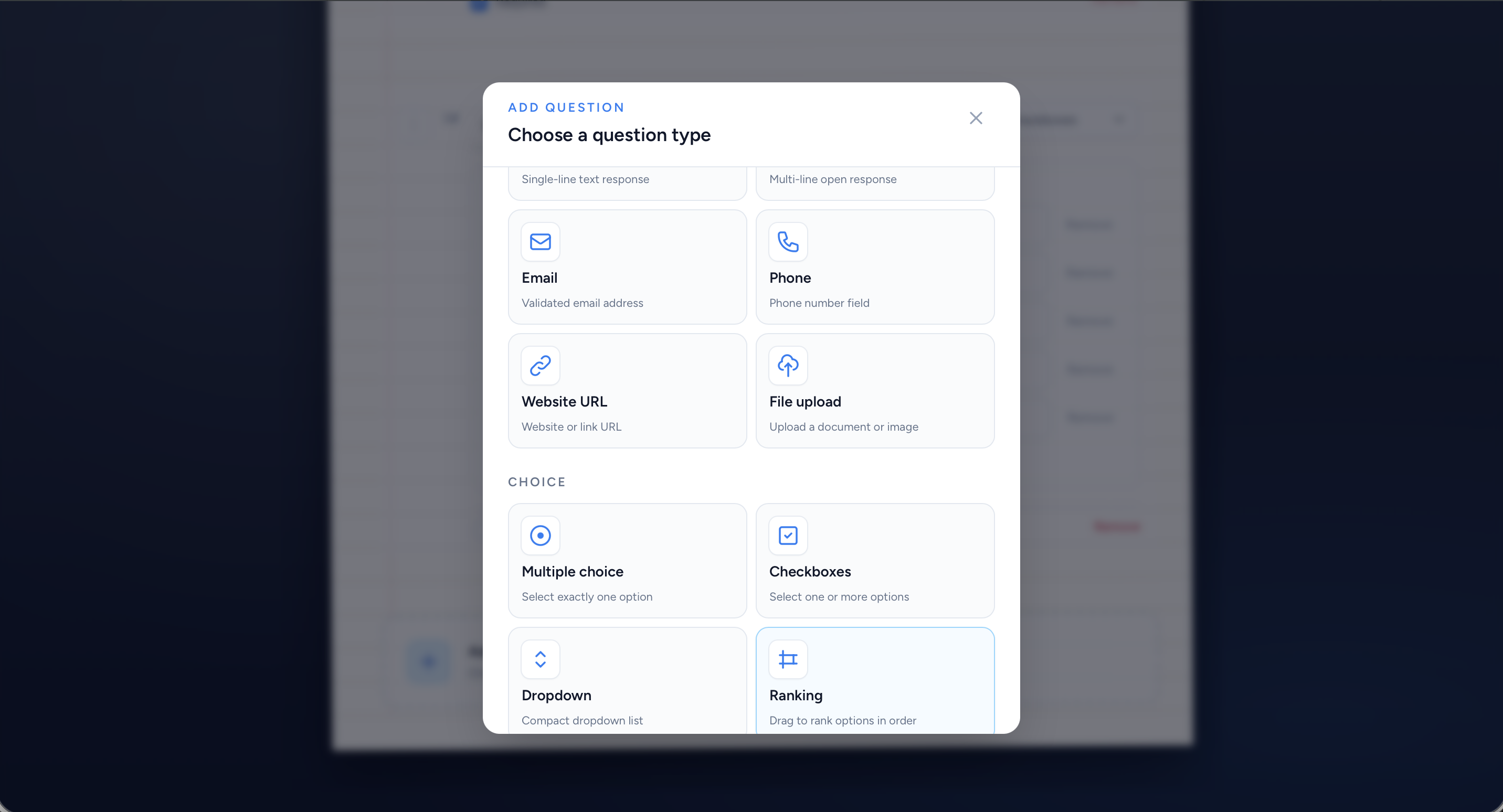
Mix NPS, Likert, matrix, ranking, file upload, and more in one form.
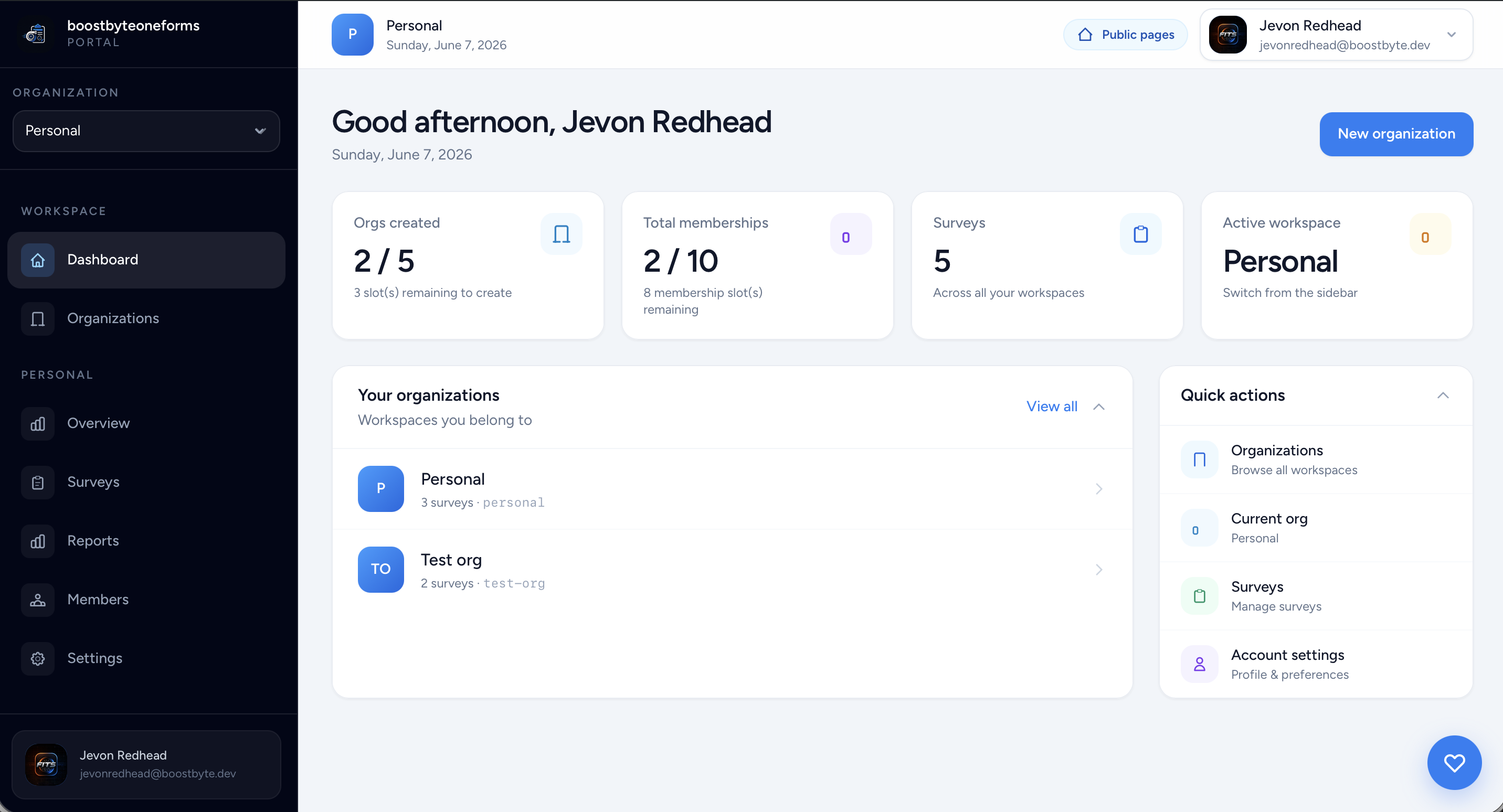
Manage surveys, teams, and workspaces from one central hub.
Describe what you need and get a ready-to-edit survey draft.
Screenshot coming soon
bb_forms_results_hub.png
Charts, summaries, and per-question breakdowns for every survey.
Screenshot coming soon
bb_forms_quiz_results.png
Scored assessments with correct answers shown after submit.
Mix formats in one form — from NPS and Likert scales to drag-to-rank and file uploads.
Free to start. Create an organization, run the onboarding wizard, and publish in minutes.
We use cookies
We use essential cookies to keep the site working and, with your consent, analytics cookies to help improve it. Learn more
Necessary
Required for authentication, CSRF protection, and saving your cookie preference. Cannot be disabled.
Analytics
Google Analytics collects anonymous page-view data. This data helps us understand usage patterns and improve the platform — including via AI-assisted review.
Preferences
Stores UI state choices such as collapsed panel preferences. No personal data is stored.